Ink Player vs Presto Player: Which Is Better in 2026?
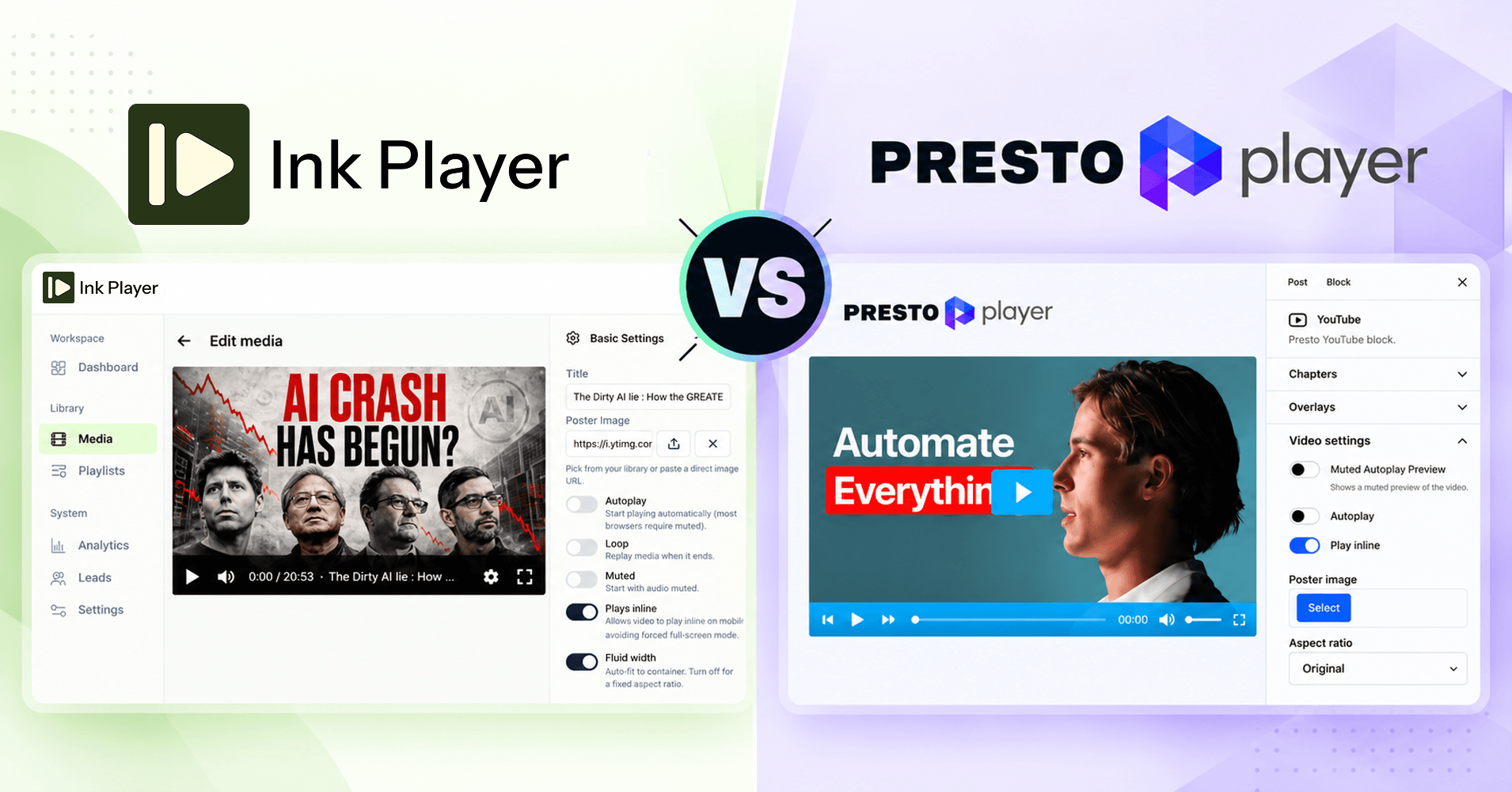
You’ve picked WordPress. Now you need a video player that looks good, loads fast, and helps your videos actually do something. In the Ink Player vs Presto Player matchup, both plugins give you a clean, branded player. They take very different approaches to everything else.
In short, Ink Player is the better choice if you want a modern dashboard, every feature on every plan, and built-in monetization with VAST ads. Presto Player is the established option, with a large install base and a free tier.
This comparison is for course creators, membership sites, marketers, and agencies choosing a WordPress video player plugin. It’s also for current Presto users looking for a Presto Player alternative. I’ll cover ease of use, features, ads, playlists, security, pricing, and how to switch.
Before jumping into the detailed comparison, I want to give short introductions for both plugins.
Presto Player
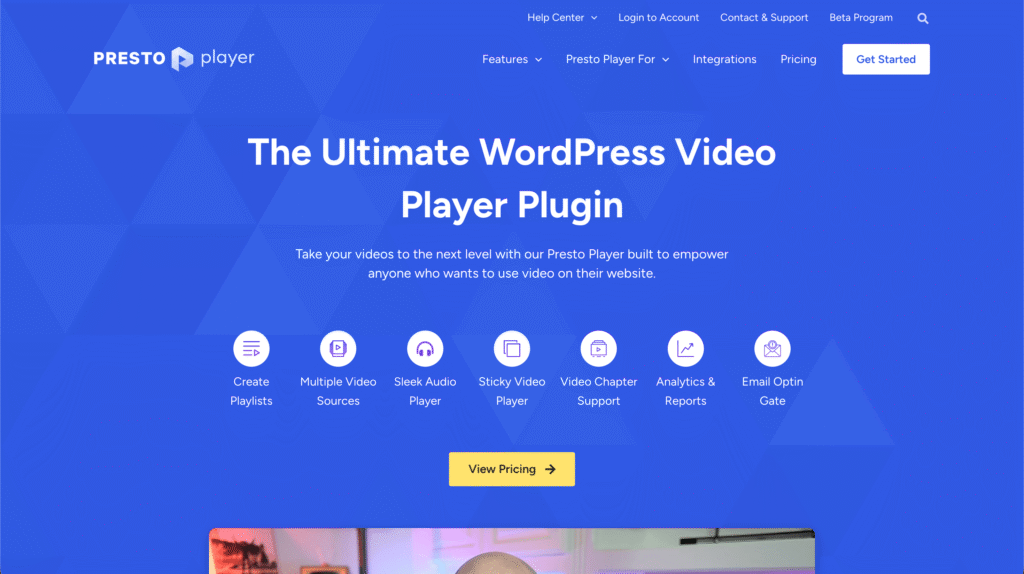
Presto Player is the pioneer in the video player plugin market. People loved it because it addressed the difficulties created by Gutenberg video block.
But over the year, they slowed down their progress. This plugin has issues, lacking in innovation, and failed to meet the modern day needs.
If you still choose the plugin, you’ll get essential features like muted autoplay, video chapters and playlist, YouTube and Vimeo video embed, and more.
Ink Player
Ink Player is the most innovative WordPress video and audio player plugin with a fresh UI and advanced feature pack.

The plugin has everything you need to manage your audio and video, no matter what you’re using it for. From self-hosted video to YouTube video embed, you can even connect streaming platforms like Bunny and Mux.
It supports timed content, email capture, video monetization, video playlist, and chapters with a friendly UX and loads of features and integrations.
Key takeaways
- Easier to use: Ink Player has a modern dashboard, with a help doc linked on every screen of the plugin. Presto has limitation in media management.
- Gutenberg-friendliness: Both plugins have dedicated Gutenberg blocks, while Ink Player’s block feels more native with every feature attached to the right sidebar.
- Built to monetize: Ink Player supports VAST and VMAP ad tags through the Google IMA SDK. Presto Player doesn’t list VAST support.
- More streaming options: Ink Player adds Bunny, Mux, Cloudflare Stream, and Cloudflare R2 with signed URLs. Presto only offers Bunny.net.
- Easy to switch: Ink Player imports your Presto media, presets, playlists, emails, and analytics, and you can undo the import.
Ink Player vs Presto Player at a glance
If you only read one section, read this table. I’ve tried to present a quick comparative view of the both plugins to help you make the right decision.
| Feature | Ink Player | Presto Player |
| Admin experience | Modern dashboard with a help doc linked on every screen | Settings inside the WordPress admin |
| Feature access | Every feature on every plan | Free core, with key features on Pro |
| VAST / VMAP ads (Google IMA) | Pre-roll, mid-roll, post-roll | Not available |
| Gutenberg blocks | 4 (video, audio, video playlist, audio playlist) | Yes |
| Elementor and Beaver Builder | Yes | Yes |
| Embed on non-WordPress sites | Yes (iframe embed codes) | Not available |
| YouTube / Vimeo playlist import | Yes | No (playlists are built by hand) |
| Secure streaming | Bunny.net, Mux, Cloudflare Stream, Cloudflare R2 | Bunny.net |
| Overlays | 9 types | 4 types |
| Built-in analytics | Advanced | Yes |
| Migration from the other plugins | Imports from Presto Player and Fluent Player | Not offered |
| Refund window | 30 days | 14 days |
| Video skins | 5 default skins with customizing options | 5 default skins. No customizing options |
| Pricing | $149/lifetime | $79/year |
A modern dashboard that gets out of your way
The first thing you’ll notice about Ink Player is the dashboard. It’s a modern app inside WordPress, built so you spend less time hunting for settings and more time publishing videos.
A clean, focused admin
Everything lives under three menus: Workspace, Library (Media and Playlists), and System (Analytics, Leads, and Settings). Each media item is a single record. You set up the video once, and every block, shortcode, playlist, and embed that uses it updates on its own.
You can easily add media from the plugin dashboard or the Gutenberg block. If you click to add media on Presto Player, on the other hand, it’ll take you to a WordPress page.
I think, Ink Player delivers a better user experience with a wide array of capabilities. The mission is not to offer only a “good looking” plugin, but people should have the best experience, as well.
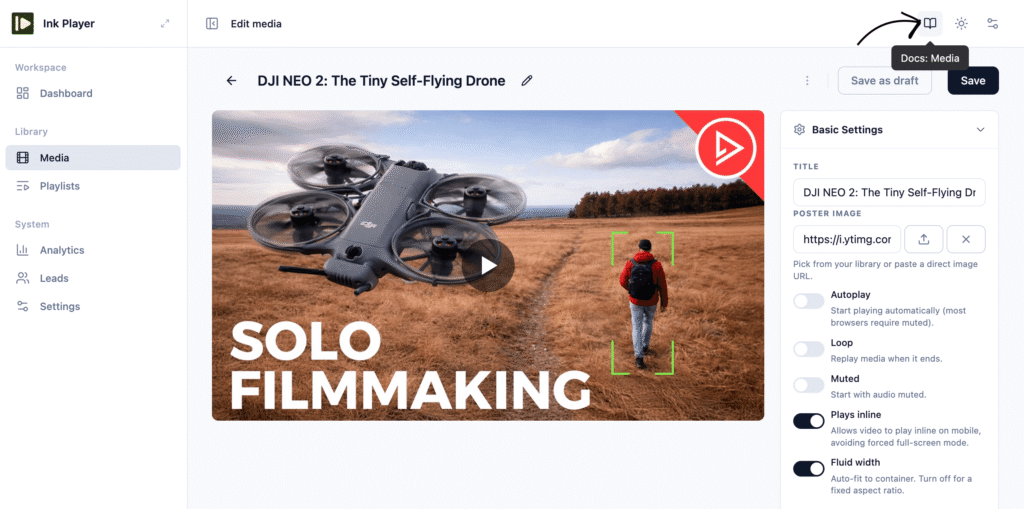
Help on every screen
Help is built into the plugin itself. Every screen in Ink Player links to the doc for that exact screen. Say you’re on the Add Media page. One click opens the Add Media guide, not the docs homepage and not a search box.
That means:
- Faster setup: you get answers in context, without leaving the task you’re on.
- Fewer support tickets: the right doc is always one click away.
- Easier client handoffs: agencies can hand a site over knowing the client has built-in help.
Where they overlap
Well, both plugins have some common features. I’d like to discuss them here so you can understand their strength quickly.
Also, I want to mention that Presto Player works a little bit differently. Its free version covers the basics: multiple video sources, YouTube support, branding colors, and default presets. And the Pro-only features go with:
- Video chapters
- Video overlays
- Analytics dashboard and Google Analytics integration
- Custom presets and the branding logo
- Mailchimp, MailerLite, FluentCRM, and ActiveCampaign integrations
- Secure private videos and Bunny.net
- Sticky video player
With Ink Player, a single-site Starter license gets you the same chapters, overlays, analytics, email capture, ads, and secure streaming as an Agency license. You never hit a locked toggle halfway through building a page.
Monetize your videos with VAST ads
Let’s talk about another important feature that earns you money.
If your videos need to generate income, this section decides the comparison. Ink Player supports VAST and VMAP ad tags through the Google IMA SDK, so you can run Google Ad Manager and other standard ad servers in your own player. Well, Presto Player is lacking VAST support.
What you can run
- Pre-roll, mid-roll, and post-roll linear ads
- Mid-rolls at a set time or a percentage of the video
- Custom video ads with a skip button and a “skip after” delay, if you sell sponsorships directly
- Global and per-video ad breaks. A per-video pre-roll overrides the global one, so a sponsor’s video can carry its own ad.
Ads work on self-hosted, Bunny.net, Mux, and direct-file videos. They’re off by default behind a master switch, so nothing runs until you’re ready. YouTube and Vimeo ad support is available as an opt-in experimental feature.
Note: Ink Player deliberately doesn’t support VPAID, the older interactive ad format the ad industry has moved away from.
Sell access with WooCommerce
Ads aren’t the only way to earn. Ink Player adds a video tab to WooCommerce products. Set its visibility to Purchasers only, and the video unlocks as soon as the customer’s order is completed. It’s a simple way to sell a course, a masterclass, or a premium tutorial without a separate membership plugin.
Built for the block editor
Both plugins work with Gutenberg. Ink Player goes further, with four native blocks, one for each kind of media:
- Ink Player for single videos
- Ink Audio Player for podcasts and audio
- Ink Playlist for video playlists
- Ink Audio Playlist for audio series
Each block pulls from the same media record. If you update a video’s title, poster, captions, or overlays in the Library, every page that shows it updates too. There’s no copy-pasting settings between pages.
Beyond the block editor, Ink Player gives you:
- An Elementor widget and a Beaver Builder module, both on by default when the builder is active
- Shortcodes, such as [ink_player id=”123″] and [ink_playlist id=”45″]
- Iframe embed codes that work on any website, even outside WordPress, and keep your skin, overlays, and access rules
- Share links that open a standalone, branded watch page
- A popup (lightbox) player that you can trigger from a poster, a button, or a text link
The embed codes matter if your audience lives on more than one site. You can host the video in WordPress and show it on a landing page builder, a help center, or a partner’s site.
Video sources and secure streaming
Both plugins give you one player across many sources. The difference shows up when you need to protect premium content.
Where they overlap
Both play self-hosted video, YouTube, Vimeo, HLS streams, and Bunny.net. On Presto Player, Bunny.net and private video are Pro features.
Where Ink Player goes further
Ink Player adds Mux, Cloudflare Stream, and Cloudflare R2. All four streaming providers use signed playback:
| Source | How Ink Player protects it |
| Bunny.net Stream and Storage | Token-signed URLs |
| Mux | RS256 JWT signed playback |
| Cloudflare Stream | Signed URLs, with the signing key set up for you |
| Cloudflare R2 | Presigned URLs that expire after about 2 hours |
Ink Player also plays MPEG-DASH (.mpd) files and detects the source type from any URL you paste.
“Private” isn’t the same as “protected”
Many plugins can hide a video from logged-out visitors. That protects the page, but not the video file. Anyone who finds the URL can still share it.
Ink Player is upfront about this. Its Private and Password modes control who can watch. Bunny.net, Mux, Cloudflare, and Ink Player’s protected uploads go further and also sign the stream URL, so a copied link stops working when it expires. YouTube and Vimeo videos can’t be truly protected by any WordPress plugin, so for paid courses we recommend a signed-URL provider.
Playlists: import in seconds vs build by hand
If you already publish on YouTube or Vimeo, this one is an easy win for Ink Player.
Ink Player imports whole playlists. Paste a YouTube playlist link and Ink Player brings in up to 100 videos with no API key. For larger playlists, add a free YouTube Data API v3 key. On Vimeo, you can import a channel, group, or showcase with an access token.
Presto Player playlists are built by hand. You add each video to a Presto Playlist block yourself. Presto doesn’t list a playlist import option.
Once your playlist is in, Ink Player gives you three layouts:
- List: the video list on the right, left, top, or bottom, and it can collapse
- Grid: 2 to 6 columns
- Slider: a basic carousel or a thumbnail strip
You also get auto-play next, shuffle, and repeat (one or all), plus a Style tab for colors. Audio playlists are supported too (in the List layout), which makes Ink Player a good fit for podcast archives too.
Engagement, lead capture, and analytics
A player should do more than play. Ink Player is built around three goals: educate, convert, and engage.
Overlays that turn viewers into leads
Ink Player includes 9 overlay types: text, CTA, action bar (including a YouTube subscribe button), email capture, watermark, image or banner, hotspot, shortcode, and custom HTML. You can show any of them at a set time, after a percentage watched, or only while the video is paused.
The shortcode overlay can render Contact Form 7 forms, quizzes, or booking widgets right on top of your video. The watermark can move around the frame to discourage screen recording.
Email capture sends leads to Mailchimp, MailerLite, ActiveCampaign, FluentCRM, or any webhook. Each lead also lands in Ink Player’s own Leads table, deduplicated by email. On Presto Player, overlays and these email integrations are Pro features.
Features that help people learn
- Chapters with markers on the progress bar and a jump menu
- Captions in .vtt, .srt, .ssa, and .ass formats, with multiple tracks
- A searchable transcript built from your captions
- Multi-language video, with a language switcher that keeps the viewer’s place
- Resume playback, sticky video, picture-in-picture, AirPlay and Google Cast, and speeds from 0.25x to 2x
Privacy-friendly analytics on every plan
Ink Player’s built-in analytics track views, unique viewers, watch time, average view time, and completion rate. You can break results down by device, provider, and logged-in vs guest viewers, and there’s a real-time tab.
Analytics are off by default and store no IP addresses or geolocation. Data auto-deletes after 90 days by default, which you can change to 30, 180, or 365 days. If you use Google Analytics 4, paste your Measurement ID and Ink Player sends start, 10/25/50/75% progress, and complete events.
On Presto Player, both the analytics dashboard and the Google Analytics integration are Pro features.
Pricing compared
Both plugins start at $79/year for one site. The difference is what that $79 buys. With Ink Player, it’s every feature. With Presto Player, it’s the Starter plan.
| Plan | Ink Player | Presto Player |
| 1 site | $79/yr or $149 lifetime | $79/yr |
| Mid tier | $159/yr or $299 lifetime (10 sites) | $119/yr (25 sites) |
| Top tier | $299/yr or $499 lifetime (30 sites) | $399 lifetime (25 sites) |
| Features included | All features on every plan | Free core, Pro features on paid plans |
| Lifetime option | On every plan, from 1 site | 25-site plan only |
| Money-back guarantee | 30 days | 14 days |
To be fair, Presto Player covers more sites for less money if you manage 11 to 25 sites. Ink Player wins if you run one site and want a one-time payment. A $149 lifetime license pays for itself in under two years compared with any $79/year plan. Ink Player also gives you twice as long to change your mind: 30 days instead of 14.
Where Presto Player still makes sense
Presto Player is a solid plugin with a long track record, and it’s the right pick for some sites:
- You need a free player. Presto Player has a free version on WordPress.org. Ink Player is a premium plugin.
- You manage 11 to 25 sites on a budget. Presto’s $119/year Pro plan covers 25 sites.
- You rely on LearnDash video progression. Presto lists it as a built-in free feature.
- You want the most-installed option. Presto Player has 100,000+ active installs and a 4.8-star rating on WordPress.org. Ink Player launched in September 2026.
If none of these is a deal-breaker, Ink Player gives you more for the same starting price.
The verdict: Ink Player vs Presto Player
Choose Ink Player if you:
- Want a modern dashboard with help built into every screen
- Want every feature on every plan, with no Pro upsells
- Plan to run VAST or VMAP ads, or sell video through WooCommerce
- Need secure streaming through Mux, Cloudflare, or Bunny.net
- Want to import YouTube or Vimeo playlists, or embed videos outside WordPress
- Prefer a lifetime license for a single site
Choose Presto Player if you:
- Need a free player
- Manage 11 to 25 sites on a tight budget
- Depend on built-in LearnDash video progression
For most creators, course builders, and marketers who want their videos to earn, Ink Player is the stronger choice.
Frequently asked questions
Is Ink Player a good Presto Player alternative?
Yes. Ink Player covers Presto Player’s core features and adds VAST ads, YouTube and Vimeo playlist import, Mux and Cloudflare streaming, and embeds for non-WordPress sites. Every plan includes every feature, and a built-in importer moves your Presto content over for you.
Can I migrate my Presto Player videos and analytics?
Yes. Ink Player imports media, chapters, captions, overlays, presets, playlists, emails, analytics history, and settings from Presto Player free and Pro. The import leaves Presto and your pages untouched, and you can undo it with one click. Imported history shows 0% completion because Presto didn’t store watch percentage.
Does Presto Player support VAST ads?
No, Presto doesn’t support VAST ad support. Ink Player supports VAST and VMAP tags through the Google IMA SDK, with pre-roll, mid-roll, and post-roll ad breaks on every plan.
Which is cheaper, Ink Player or Presto Player?
Both start at $79/year for one site. Ink Player offers more features at that price and offers a $149 lifetime license for one site. Presto Player is cheaper for 11 to 25 sites and has a free version. Ink Player’s refund window is 30 days, compared with 14 for Presto.
Is Ink Player easy to use for beginners?
Yes. Ink Player’s dashboard keeps everything self-guided, and every screen links to its own help doc. You can add a video, pick a skin, and place it with a Gutenberg block without writing code.
Can either plugin fully protect YouTube videos?
No. YouTube and Vimeo serve their own embeds, so no WordPress plugin can lock them down completely. For paid content, use a provider with signed URLs. Ink Player supports Bunny.net, Mux, Cloudflare Stream, and Cloudflare R2.
Final Words
By now, I believe, you already made the decision. After the review, it should become easier for you to pick the right product for your website.
Presto Player is a dependable classic, and Ink Player is built for creators who want more from every video. With a modern dashboard, help on every screen, VAST ads, four native blocks, and every feature on every plan, Ink Player gives your videos the room to educate, convert, and engage.
Already on Presto? You can import everything and undo it anytime, so there’s no risk in trying. You’re also covered by a 30-day money-back guarantee.